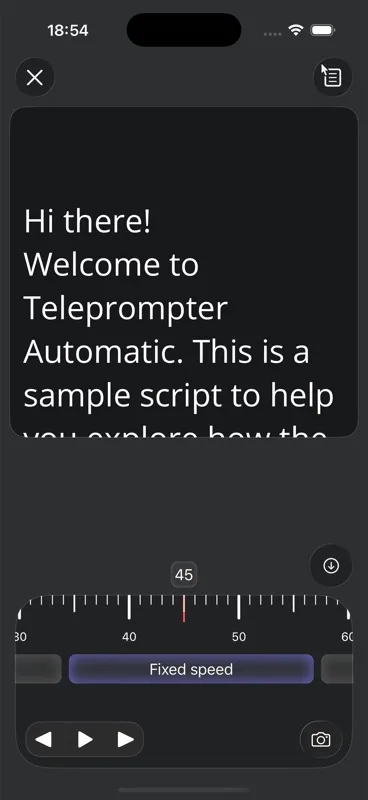
Fixed speed scrolls the script at one constant speed until you pause or adjust it. Choose it when you want predictable movement that does not depend on speech recognition or a target duration.
When fixed speed is best
Use this mode for noisy rooms, music beds, silent practice, product demos, or any recording where speech recognition might be distracted. It is also the simplest fallback when you only need the script to move steadily.
- Start with a moderate speed.
- Read the first paragraph aloud and adjust before recording.
- Use pause when you need to hold on a line.
How to adjust it
Open the scroll mode selector, choose Fixed speed, and move the speed slider. On Android the fixed speed slider is shown as a percent control; iOS stores the same fixed-speed behavior as one of the reader scroll modes.
What to watch for
If you keep rushing, lower the speed. If you wait for lines, raise it. Fixed speed is not tied to word count, so any large script edit should be followed by another short test.
How fixed speed differs from the other modes
Fixed speed does not listen to your voice, does not calculate a target duration, and does not use the script word count. That makes it predictable and easy to control, but it also means you are responsible for matching the pace. If your delivery changes a lot, pause and adjust instead of fighting the scroll.
Quick setup checklist
- Open the script in the same reader or recorder view you will use for the take.
- Choose Fixed speed before you start recording, then read at least one paragraph aloud.
- Check whether the bottom lines arrive too early or too late, not just whether the first line feels right.
- Save the setting with the script if you plan to repeat the same read later.