Words per minute mode scrolls from a reading pace instead of a raw speed percent. It is useful when you know how quickly you want to speak and want the script timing to follow the word count.
Choose a WPM value
Open the scroll mode selector, choose Words per minute, and set the reading pace. Android accepts a range from 20 to 300 words per minute and defaults new recorder state around 120 WPM.
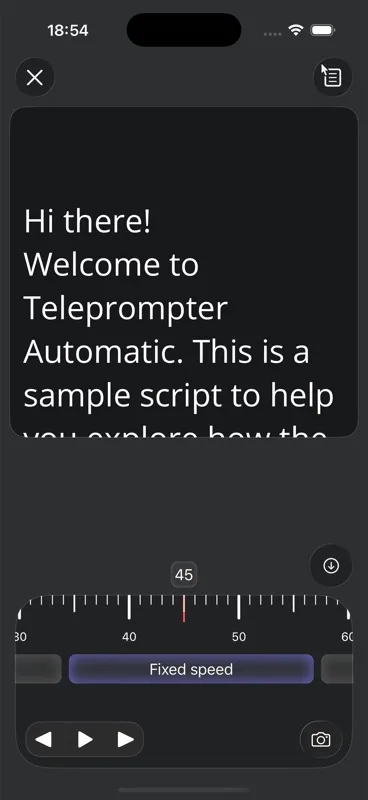
- Use a lower value for careful tutorials.
- Use a higher value only when you can read naturally at that pace.
- Long pauses should be reflected by lowering WPM or editing the script.
Set words per minute on Web
Open the browser pace control and choose words per minute. The Web dashboard supports 40–400 WPM and starts new pace preferences at 135 WPM; an existing fixed-speed preference can remain selected. The chosen pace carries between browser rehearsal, video, and audio recording.
The displayed remaining time is approximate. A 135-word script at 135 WPM is about one minute before extra pauses. If the take needs emphasis, names, or breathing room, rehearse it and lower the pace or shorten the script. Mobile controls can have different ranges.
Why WPM feels natural
The app can estimate duration from script word count and the WPM value. That makes the mode easier to reason about than fixed speed when the script length changes.
Rehearse once
Read the first 30 seconds aloud. If the text is slightly ahead of you, lower WPM; if it lags behind you, raise WPM.
How WPM differs from fixed speed and timed scrolling
WPM sits between fixed speed and timed scrolling. It is not just a percent slider, because the script word count matters. It is also not a strict final duration, because you choose a speaking pace rather than a deadline. That makes it useful for repeatable, human-sounding delivery.
Quick setup checklist
- Estimate whether the script is slow, normal, or fast for your speaking style.
- Pick a WPM value, read the opening aloud, then adjust by small steps.
- If names, numbers, or technical terms appear often, lower WPM to keep them clear.
- After adding a paragraph, test again because the calculated duration changes.