
A teleprompter can keep your message on track, but it cannot make written language sound conversational. If a take feels stiff, the first fix is often to change the script or pace—not to try harder to hide that you are reading. This guide focuses on delivery. For the broader setup and recording workflow, see the video teleprompter guide.
Write lines you would actually say
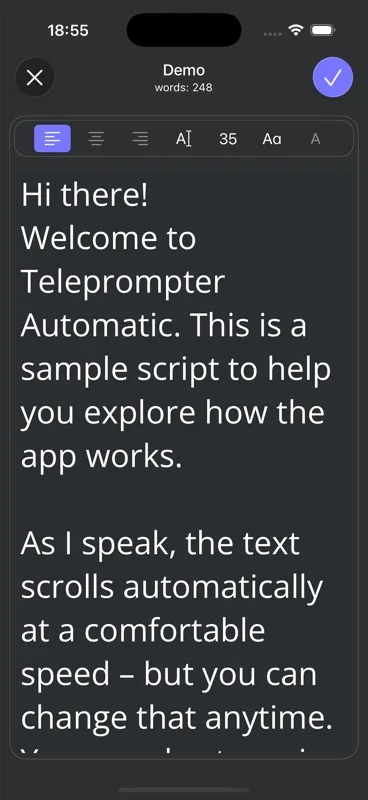
Read your draft aloud before opening the reader. Replace phrases you would never use in conversation, break long sentences at natural breaths, and put one idea in each short paragraph. Keep names, numbers, and essential wording exact; simplify the sentences around them. Teleprompter Automatic lets you create a blank script and adjust its text before reading; the script creation guide covers those steps.
Hypothetical script example: Instead of “We are pleased to announce the implementation of an updated scheduling process,” try “We’ve changed how you book a session. Here’s what to do next.” The second version gives the speaker a clear thought to deliver, rather than a formal sentence to recite.
Mark a pause with a blank line after the point it belongs to. If you need to show an object or change shots, put that action on its own line as a cue rather than trying to say it aloud.
Make the text follow your voice—not the other way around
Rehearse at your normal speaking volume. If you rush to catch the next line, slow the scroll or shorten the sentence. If you finish a thought and wait awkwardly for more text, adjust the pace or the spacing between ideas. The reader controls guide explains the available settings.
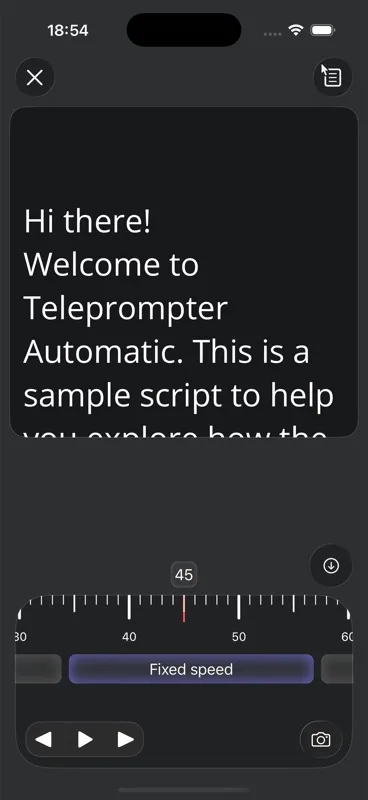
Teleprompter Automatic offers fixed-speed, timed, words-per-minute, and Voice Scroll options. Start with fixed speed when you want to tune a steady rate by ear. Use timed scrolling when a target duration matters, but check that it still leaves space for emphasis. A words-per-minute setting is useful if you already know your comfortable speaking rate. Voice Scroll follows speech on supported mobile devices; test it with your script and speaking style before relying on it for a full take. You do not need to force one mode to fit every script.
Make the text comfortably readable and position the reading area near the lens. Keep your gaze moving by thought rather than tracking every word with your head. A brief glance away to demonstrate something can feel more natural than trying to maintain unbroken eye contact.
Deliver one thought at a time
Before each sentence, decide what you want the viewer to understand. Say that thought to the camera, then let it land. A small pause after a useful point sounds intentional; a pause in the middle of an unfamiliar phrase usually signals that the line needs rewriting.
Vary emphasis according to meaning, not at regular intervals. Stress the contrast in “before you record, check the sound,” then ease off on the less important words. If a sentence makes you stumble twice, replace it with words you can say cleanly. For targeted pronunciation practice, the diction guide goes deeper; this article is about making the whole message sound like you.
A script can protect exact facts while leaving room for your own expression. Do not add an unverified claim simply to make a take sound spontaneous.
Record a short test and diagnose what sounds forced
Record the opening and one transition at the distance and volume you will use for the final take. Teleprompter Automatic supports video recording while you read a script. If you want to concentrate on your voice first, Audio mode on iPhone, iPad, and Android lets you read with the script visible and review an M4A take; see the audio recording guide.
- Rushed endings: Slow the reader or shorten the line before changing your delivery.
- Flat emphasis: Identify the one word that carries each sentence’s point, then read the thought again.
- Eyes scanning: Shorten the visible lines, adjust the reading area, and test its position near the lens.
- Repeated stumbles: Rewrite the phrase in your own words; preserve any facts that must remain exact.
- Awkward silence: Decide whether the pause helps the viewer absorb a point or merely fills a gap between scrolling lines.
Change one thing and make another short test. Comparing two brief takes is more informative than repeatedly recording an entire script without knowing what needs fixing.
Recover without turning a small slip into a full restart
Start by looking toward the lens, take a breath, and speak the first line as an answer to a person—not as the start of a recital. During the take, decide whether a slip actually changes what the viewer hears. If you use a slightly different word but the thought remains clear and accurate, keep going rather than calling attention to it.
If you lose your place or say an important fact incorrectly, stop at a natural break. Find the beginning of that thought, take a breath, and deliver the passage again at your normal pace; do not race through the missed words to catch the scroll. Afterward, listen to both versions and choose the one that communicates the point accurately. This distinction lets a harmless variation stay conversational while giving a consequential error a clean second attempt.
Frequently asked questions
Why do I sound robotic when I use a teleprompter?
Common causes are formal written sentences, scrolling that is faster than your speaking pace, and reading each word with equal emphasis. Read the script aloud, rewrite lines that sound unlike you, and test the pace with a short take.
Should I memorize my script before using a teleprompter?
You do not need to memorize every word. Know the point of each section and rehearse unfamiliar names, numbers, and transitions so you can deliver each thought rather than discover it on screen.
Which scroll mode sounds most natural?
There is no single best mode for every speaker. Test a steady fixed speed first, then compare other modes when you have a target duration, a known speaking rate, or want speech-following scrolling on a supported mobile device.
Is it okay to pause while reading?
Yes. Pause where a listener needs a moment to absorb a point, after a question, or before a new idea. If you are pausing only because a sentence is difficult to read or the next line has not arrived, revise the script or reader pace.