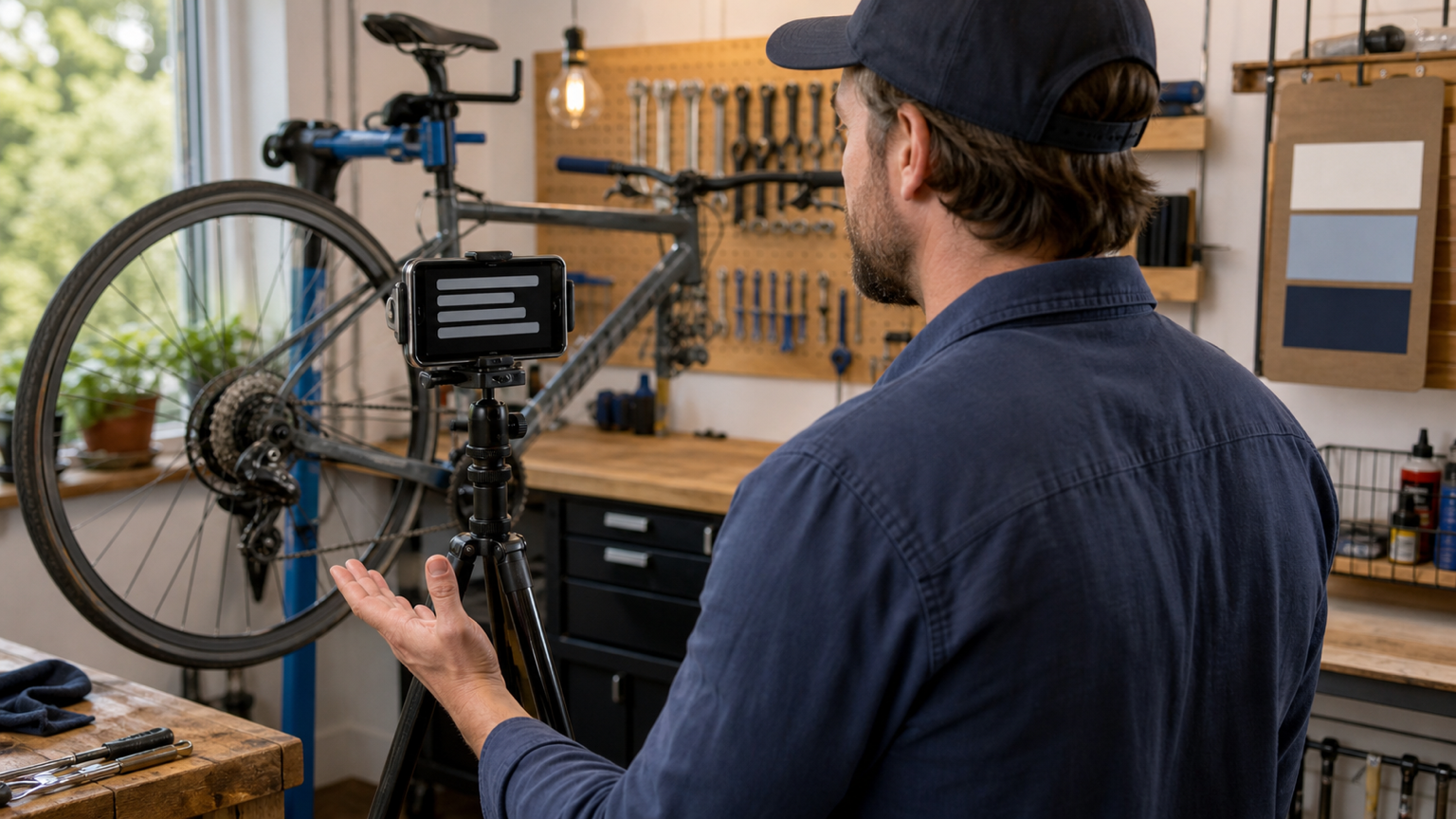
A useful service explainer video removes uncertainty before a customer books, arrives, or prepares for an appointment. It explains what the service is, who it is for, what happens before and during the work, and what the customer should do next.
A teleprompter helps a local business keep those details in the right order without memorizing every condition. The goal is not a polished advertisement. It is a calm, accurate explanation that a customer can understand before calling, visiting, or confirming a booking.
Quick workflow for a local service explainer
- Choose one service and one customer decision for the video.
- Map what happens before booking, before arrival, during the service, and after the handoff.
- Verify the details with the person who delivers or manages the service.
- Write short spoken lines around the customer journey.
- List the supporting shots that clarify each line.
- Move the approved script into Teleprompter Automatic.
- Set a comfortable reader pace and record a brief camera and audio test.
- Record the talking-head explanation, then capture supporting shots separately.
- Review customer clarity, operational accuracy, media quality, and privacy.
- Keep the verified script with the finished video so future updates start from the same source.
Pick one service and one customer decision
Do not try to explain the entire business in one recording. Choose one service that creates a repeated customer question or a moment of uncertainty. A bicycle shop might explain what happens during a tune-up. A dog groomer might explain how owners should prepare before an appointment. A portrait studio might explain what to bring. A home-service team might explain what the first visit can and cannot determine.
Give the video one outcome: the viewer should know whether the service fits, how to prepare, what the main stages look like, or what to do next. If the script tries to sell the company, teach every detail, answer every exception, and list every option, it will become harder to follow and harder to keep current.
This is also what separates the topic from a promotional video workflow. Promotion leads with an offer or benefit. A service explainer leads with the customer's practical question and an accurate answer.
Map the service from the customer's point of view
Before drafting sentences, write the service as a short customer journey. This catches missing steps before the camera is involved.
- Before booking: Who is the service for, what problem does it address, and what requires a direct assessment instead of a general answer?
- Before arrival or the visit: What should the customer bring, prepare, measure, move, clean, charge, photograph, or leave unchanged?
- During the service: What are the major visible stages, what choices may require customer approval, and what should the customer expect to see or hear?
- After the service: What is handed back, what should the customer check, and where should they go if they need a follow-up?
Use only stages that are true for the selected service. A concise explanation of three real steps is more useful than a complete-sounding process that hides important conditions.
Verify the service facts before writing
The person who records the video may not be the person who performs the work every day. Build a small fact sheet with the technician, front-desk lead, owner, or service manager before turning notes into a script.
- the current public name of the service
- the customer problem it is designed to address
- what the standard service includes and does not include
- what the customer needs to prepare
- which details can change after inspection, consultation, or diagnosis
- which price, duration, availability, warranty, or result statements need a current source
- the correct booking, contact, or follow-up action
Keep uncertain details out of the spoken script until they are confirmed. If timing or price varies, explain what determines it instead of recording one number that may become misleading. If the service depends on a personal assessment, say that clearly rather than promising a universal outcome.
Write the script around the service outcome
A strong explainer usually needs six parts: the customer situation, who the service is for, how to prepare, the main process, an honest boundary, and the next step. Business history, awards, and a long introduction can wait unless they directly help the customer decide.
Write for speech. Use one idea per sentence, contractions where they sound natural, and short paragraphs that leave room for a pause. Put names, measurements, required items, and the next action on their own lines so they are harder to rush past.
Use separate production cues such as SHOW TOOL, PAUSE, DETAIL SHOT, or NEXT STEP. Keep each cue visually distinct from the spoken words so the presenter does not read it aloud by mistake.
Adapt this bicycle tune-up example
The following draft demonstrates the structure; it is not a set of operating facts for every bicycle shop. Replace every sentence with the business's verified process.
Bringing your bike in for a tune-up? Start by telling us what feels different when you ride, shift, or brake.
At check-in, we confirm your concerns and inspect the bike before agreeing on the work.
If the inspection suggests something outside the original service, we explain the recommendation before adding it.
When the bike is ready, we review what was completed and the next care step.
Check our current service page or contact the shop for availability and a quote.
The opening names the situation, the middle sets expectations, the boundary avoids an unsupported promise, and the final line gives a current source for details that may change. The same pattern can be adapted for a studio session, repair visit, grooming appointment, class, consultation, or other local service.
Plan shots that clarify the explanation
Match one useful visual to each important line. Start with the owner or staff member speaking to the camera, then add supporting shots of the location, preparation, tools, a safe overview of the process, the handoff, or the next action. The visual should prove or clarify the spoken point, not merely make the edit busier.
- Customer situation: show the item, space, or setup the viewer recognizes.
- Preparation: show what to bring or how to prepare it.
- Process: show the main stage without exposing confidential technique or unsafe behavior.
- Boundary: return to the speaker so the condition is heard clearly.
- Next step: show the public booking, contact, or arrival action without displaying customer records.
Record private paperwork, appointment screens, addresses, phone numbers, customer faces, payment details, and identifying labels outside the frame. Use a clean demonstration item or an empty work area when the real service environment contains information that should not appear publicly.
Prepare the script and reader in Teleprompter Automatic
Use the create or import the service script workflow after the service facts are approved. Keep the spoken copy in short blocks and remove research notes that the presenter does not need to see while recording.
If the explainer needs to fit a particular placement, check the draft with the speech time calculator, then rehearse aloud. Silent reading usually makes a script feel shorter than it will sound on camera.
In the reader, start with a comfortable font size, line spacing, and cue position. Choose a supported scroll mode for the job: fixed speed for a rehearsed delivery, timed scrolling for a defined duration, words-per-minute pacing for a target reading rate, or Voice Scroll after testing the exact room, microphone, and wording. The scrolling and reader controls guide explains the product settings behind those choices.
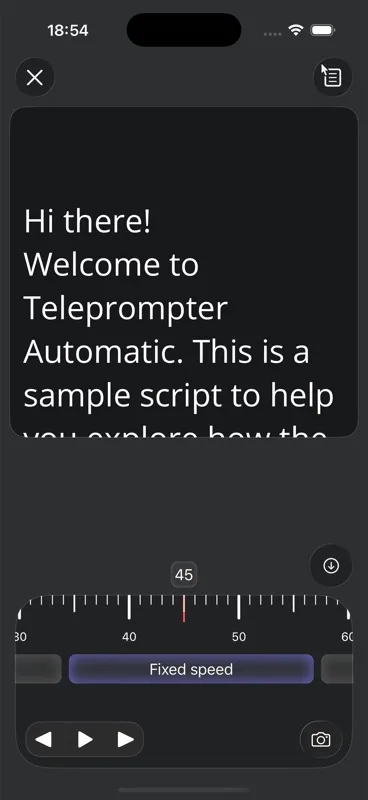
Set the camera, audio, and eye line
Place the phone near eye level with the screen facing the presenter. The front camera is useful when the speaker needs to monitor framing. The back camera can be useful when image quality matters more and a test take or another device is available for checking the shot.
Record a short sample before the full explanation. The camera and recording settings guide covers camera choice, microphone, countdown, grid, mirror, and playback checks. Review the sample for readable eyes, clear sound, stable framing, background distractions, and whether the script covers too much of the camera view.
If the mounted phone is out of reach, Web Remote control can manage supported reader or recording actions from another browser device after pairing. Test the connection and controls before the real take rather than discovering a problem halfway through the explanation.
Record the master take before supporting shots
Record a clean talking-head version first. Ask the presenter to speak to one customer, not to “an audience.” If a line feels stiff, stop and rewrite the line instead of increasing the scroll speed. A natural correction is more useful than a perfectly timed sentence that nobody at the counter would actually say.
After the spoken take works, record the supporting shots from the shot plan. Leave a little stillness before and after each action so the clip can be edited without cutting through movement. Capture only what the script has already verified; do not stage a process, result, or before-and-after comparison that the standard service cannot support.
Use the record and export workflow to review the selected take and continue to export where supported. Keep the original spoken master before creating shorter versions for other placements.
Review clarity, accuracy, quality, and privacy
Use four passes instead of trying to catch every problem at once.
- Customer clarity: Can a first-time viewer explain what the service is, how to prepare, and what to do next?
- Operational accuracy: Do the service name, inclusions, sequence, conditions, price or timing language, and next action match the current source?
- Media quality: Is the voice easy to hear, the eye line natural, the framing stable, and every supporting shot relevant to the line it accompanies?
- Privacy: Are customer names, faces, addresses, appointment details, payment data, screens, paperwork, and identifying labels absent from the final cut?
If the video includes captions or on-screen labels, compare them with the approved script. A corrected spoken line can still leave an old price, service name, or instruction in the visual layer.
Reuse one verified script without letting it go stale
A service explainer can support a service page, booking confirmation, pre-visit message, reception display, customer FAQ, or short social version. Adapt the opening and length to the placement, but keep the verified service facts consistent.
Store the approved script with a clear service name and the source used for the final review. Recheck the video when the service changes, a preparation step changes, the location or booking path changes, or a price, duration, availability, warranty, or result statement is no longer current. Updating one source script is safer than guessing which finished version contains the old wording.
If the business needs many one-question clips instead of one complete journey, use the customer FAQ video workflow as a separate format.
Service explainer script template
Opening: “This video explains what to expect from our service and how to prepare.”
Fit: “Contact us first if you are unsure whether the service matches your situation.”
Preparation: “Before the visit, complete the preparation steps confirmed by our team.”
Process: “We start with the first verified stage, explain the work, and confirm any change before continuing.”
Handoff: “At the end, we review what was completed and explain the next care or follow-up step.”
Next action: “Use our current contact or booking details to ask about availability and arrange the service.”
Replace generic words such as service, preparation, and next step with the business's verified details. Read the adapted script aloud, then cut any sentence that does not change the customer's understanding or action. The final script should sound like a knowledgeable staff member explaining the service at the counter.
Common service explainer mistakes
- combining several services in one video because they share the same audience
- leading with company history before answering the customer's question
- copying a written service page without rewriting it for speech
- recording prices, timing, guarantees, or results without a current source
- describing the process from the business's internal perspective instead of the customer's journey
- setting scroll speed while reading silently
- recording the full video before checking audio, eye line, and framing
- capturing real customer screens, paperwork, faces, addresses, or appointment details
- adding supporting shots that imply work or outcomes not included in the service
- publishing several shortened versions without keeping one approved source script
Related Teleprompter Automatic guides
- teleprompter for content creators - Connect local service explainers to the broader scripted recording workflow.
- create and import scripts - Move an approved service explanation into the app.
- speech time calculator - Estimate the spoken length before recording.
- scrolling and reader controls - Tune text size, cue position, and pace.
- camera and recording settings - Check framing, sound, countdown, and camera choice.
- Web Remote control - Control a mounted phone from another browser device.
- record and export videos - Review and save the approved take.
- promotional video workflow - Use an offer-led structure when the goal is promotion rather than explanation.
- customer FAQ video workflow - Turn repeated questions into separate short answers.