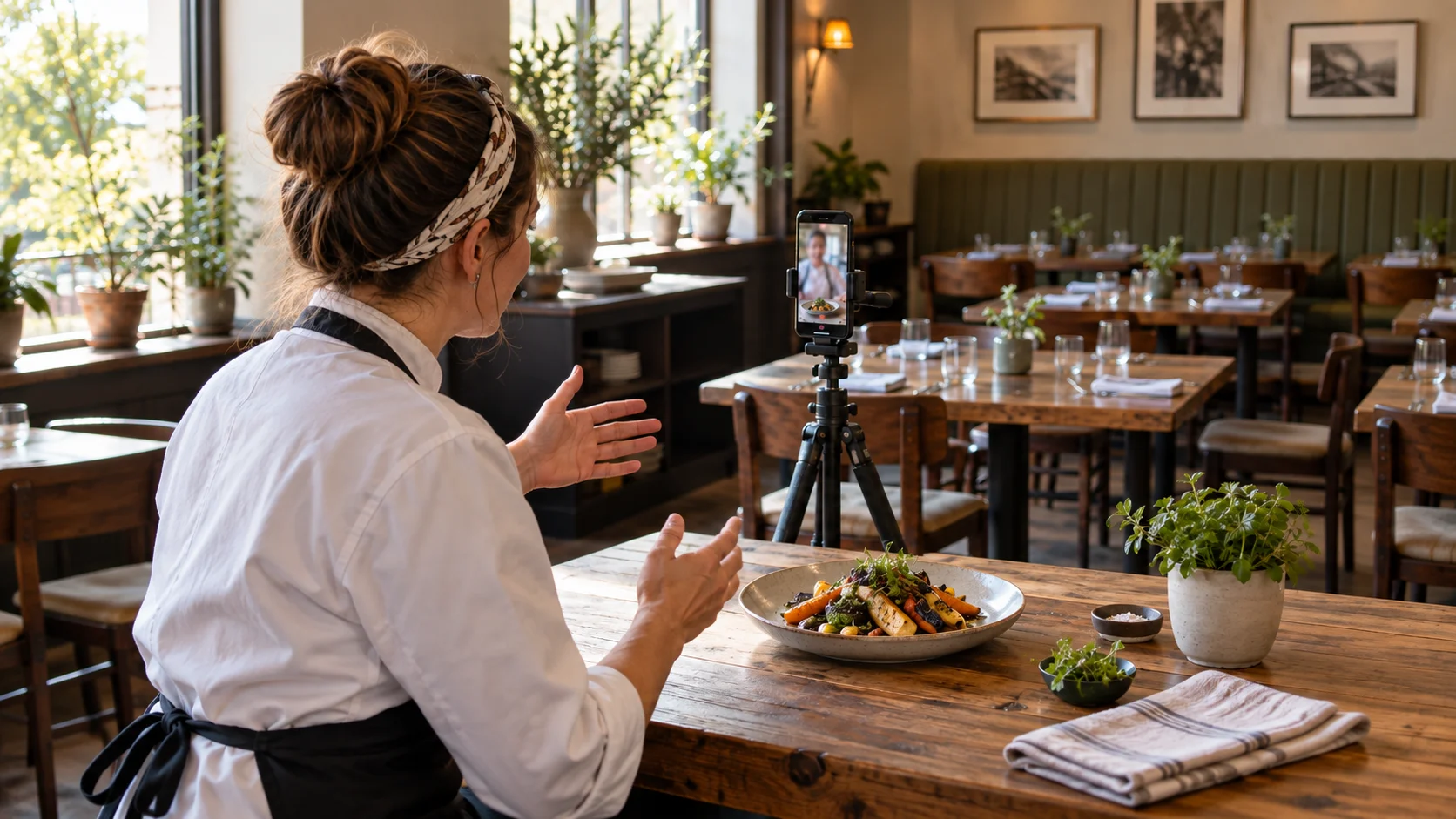
To record a restaurant promo video with a teleprompter app, choose one dish or occasion, write a short spoken invitation, and film the presenter separately from the food close-ups. The script keeps the message clear; the real dish, setting, and voice give a future guest a reason to visit.
You do not need to introduce the whole menu in one take. This guide gives you a sample script, a small shot list, and a repeatable recording plan for a restaurant owner, chef, or front-of-house team member. Teleprompter Automatic supports scripts, scrolling text, and camera recording on iPhone and Android.
Choose one reason for a guest to visit
Start with a sentence that describes the guest's decision: “This is a relaxed place for lunch,” “Here is the dish we are serving this week,” or “This is what our dining room feels like before dinner.” Choose the one you can show clearly today.
A dish introduction needs a real plate and a specific detail about its taste or preparation. A room introduction needs a useful view of the space. An invitation to an event needs confirmed dates and booking information. Combining all three usually produces a hurried list instead of a memorable invitation.
Write down the facts before writing the performance: the correct dish name, what is included, when it is available, and how someone can visit or book. Mention prices or limited availability only when you have checked them and can keep the published video current. Leave unverified claims such as “the best in town” out of the script.
Use a four-part restaurant promo script
Build the spoken draft around dish, detail, experience, invitation. Aim for a comfortable 30–45-second first version as a writing exercise, then time your actual delivery. This is a creative starting point, not a platform limit.
- Dish: show and name the food immediately.
- Detail: describe one thing a guest can see or imagine tasting.
- Experience: connect it to a lunch, dinner, or other occasion.
- Invitation: give one clear next action.
Here is a fictional example. Replace the restaurant, dish, ingredients, service details, and invitation with facts about your own venue.
Looking for a relaxed lunch? At Willow Table, this is our roasted vegetable flatbread.
It comes with a crisp base, soft roasted peppers, and a spoonful of lemon yogurt. Let me show you the finished plate.
It is one of the dishes on our lunch menu, served here in the dining room.
Take a look at our current menu and opening hours on our website, then plan your next lunch with us. We would love to welcome you.
The script gives the food a name, makes the description concrete, and finishes with an action someone can take. It does not promise a discount, table availability, or a service time. Add such details only when they are accurate for your restaurant.
Keep a blank version for the next dish: “Looking for [occasion]? At [restaurant], this is [dish]. It has [specific detail]. We serve it [verified service context]. To visit us, [one next action].” Say the draft aloud and remove words you would never use when speaking to a guest.
Turn the script into a small shot list
Separate the spoken words from the camera plan. Keep instructions such as “close-up of the plate” in your shot list, outside the text you will read. The following sequence can be filmed in short pieces:
- Opening: the host beside the finished dish, naming it in one sentence.
- Food detail: a close view of the actual portion and the detail mentioned in the script.
- Restaurant context: a steady view of the prepared table or quiet dining area.
- Closing: the host giving the invitation with a natural pause afterward.
Capture the dish as it is served. Keep portions, garnish, and accompaniments consistent between the presenter take and the close-up. If an extra costs more or is not included, do not arrange the shot so it looks like part of the standard order.
A promo helps someone decide whether to visit. It does not need to teach the full cooking method. If you want to demonstrate each cooking step instead, use the recipe video recording guide.
Place the phone for a natural invitation
Film in a quiet part of the restaurant before service or between busy periods. Put the phone on a stable tripod, with its screen and front camera facing the presenter. Keep the lens near eye level and the dish visible without forcing the presenter to hold a heavy plate throughout the take.
Use a window to the side for soft light when it works in your room. Check the face and food together: a beautiful bright plate is not enough if the person introducing it is in shadow. Keep the tripod out of serving routes and away from hot equipment, steam, and splashes.
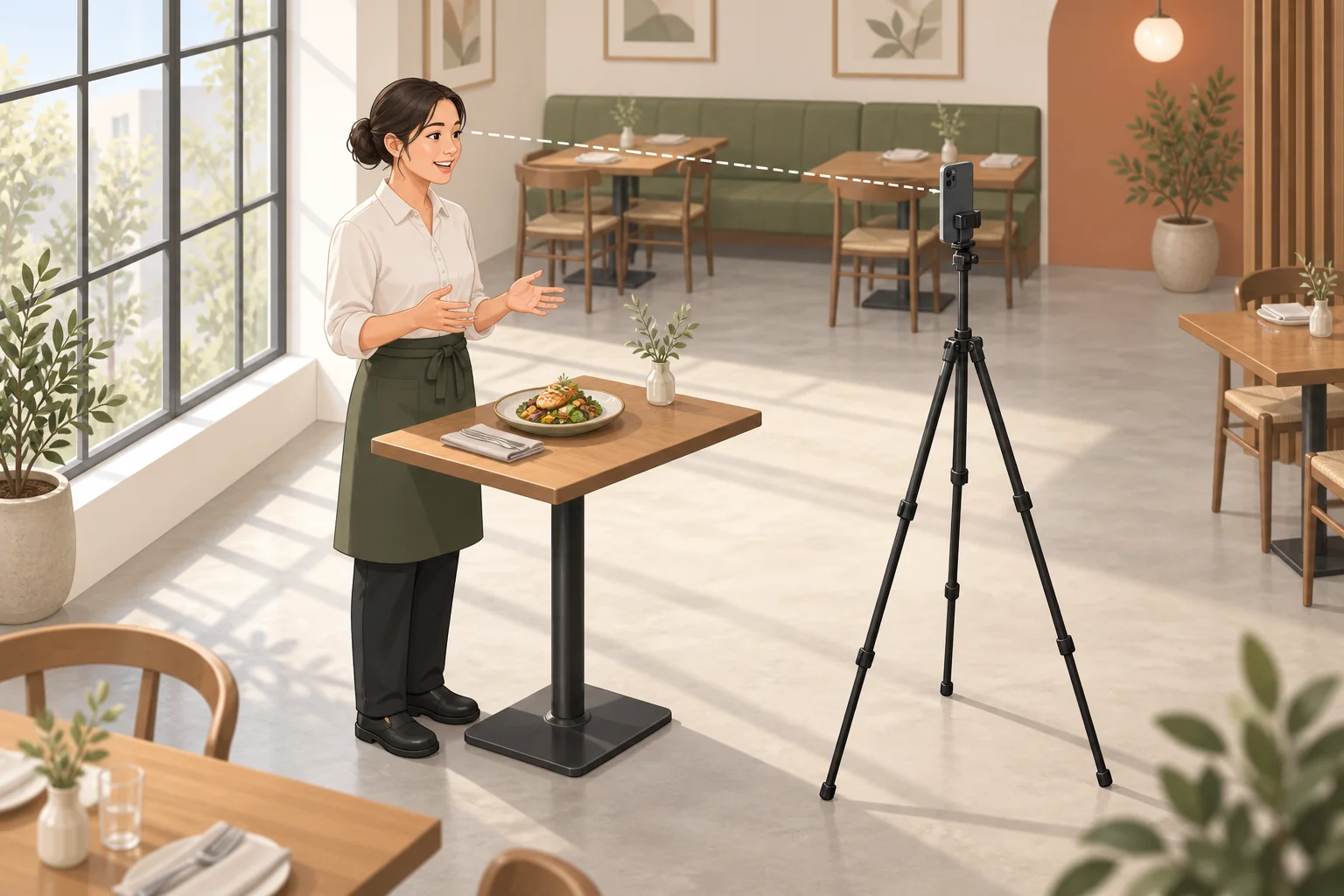
Choose your final frame before the session. If you need both portrait and landscape videos, test both views or record separate takes. Keep the host and plate within each crop rather than assuming a later crop will save the composition. The phone tripod setup guide covers support and positioning in more detail.
Rehearse the spoken invitation before recording
Prepare only the words you want to say in Teleprompter Automatic. The script creation and import guide explains how to bring the finished draft into the app. Keep the shot list and menu checks separately so you cannot accidentally read them aloud.
Break the script into short paragraphs and rehearse at the actual distance from the mounted phone. Make the text comfortable to read and choose a pace that leaves room to smile, breathe, and gesture toward the food. You should be able to finish each thought without chasing the next line. See the reader and scrolling guide for device-specific controls.
If a sentence repeatedly trips you up, rewrite it. A dish name may need its own line; a long ingredient list may need to become one useful detail. Do not speed up just to include every adjective. Estimate the draft with the speech time calculator, then use a spoken rehearsal to judge the real length.
Record the host and food in separate passes
Record a short test with the actual voice, background, light, and phone position. Listen back for music, refrigerators, coffee machines, clattering dishes, or other sounds competing with the invitation. Choose a quieter recording moment if the words are hard to understand.
Film the complete presenter script first. Leave a brief pause before the opening and after the final sentence. When you make a mistake, repeat the whole sentence rather than only the wrong word; a complete replacement is easier to use later. Follow the recording and export guide for the steps on your device.
Then record the food details without trying to read at the same time. Hold each shot steady for several seconds and avoid moving the camera continuously. Capture the crisp edge, spoonful of sauce, or finished place setting that the narration actually mentions. Take the reading phone out of the close-up if it has no purpose in the finished picture.
You can also record two short host sections, opening and invitation, and place food footage between them in your chosen editing workflow. Keep the meaning intact: a cut should not hide a changed dish, missing accompaniment, or incorrect statement.
Check the finished video as a future guest
Watch the exported file from beginning to end. A guest should understand what the dish is, where it is served, and what to do next without knowing your restaurant already.
- Menu accuracy: the name, portion, ingredients mentioned, availability, and any price match the current offer.
- Clear sound: the invitation is easy to hear without competing background noise.
- Honest pictures: the plate matches the spoken description and the service a guest can expect.
- Clean background: no booking screens, receipts, private notes, or people who have not agreed to appear are visible.
- Readable text: any added captions spell dish and restaurant names correctly and stay inside the frame.
- Useful invitation: the stated website, menu, or booking route works and leads to current information.
If you add music, use a track you have permission to use in the finished video. Keep it low enough that the voice remains clear. Check any ingredient or dietary wording with the restaurant team rather than treating an attractive description as a substitute for accurate menu information.
For a temporary dish or event, set yourself a reminder to review the video when the offer ends. Update or remove a clip whose main invitation is no longer accurate.
Make the next restaurant video easier
Save the four-part script structure, the chosen camera position, and the shot list. For the next recording, replace the facts and show a different useful detail. A quiet lunch invitation, a dish introduction, and a dining-room welcome can each stand on their own.
Start with one real dish and a short invitation today. Rehearse it in Teleprompter Automatic, record a test, and check whether it sounds like you welcoming a guest at the door. For more repeatable recording habits, explore Teleprompter Automatic for content creators.